
VBS
Port Connect booking platform
- Client
- Port Connect
- Role
- Principal Product Designer
- Duration
- Ongoing
- Tools
- Figma
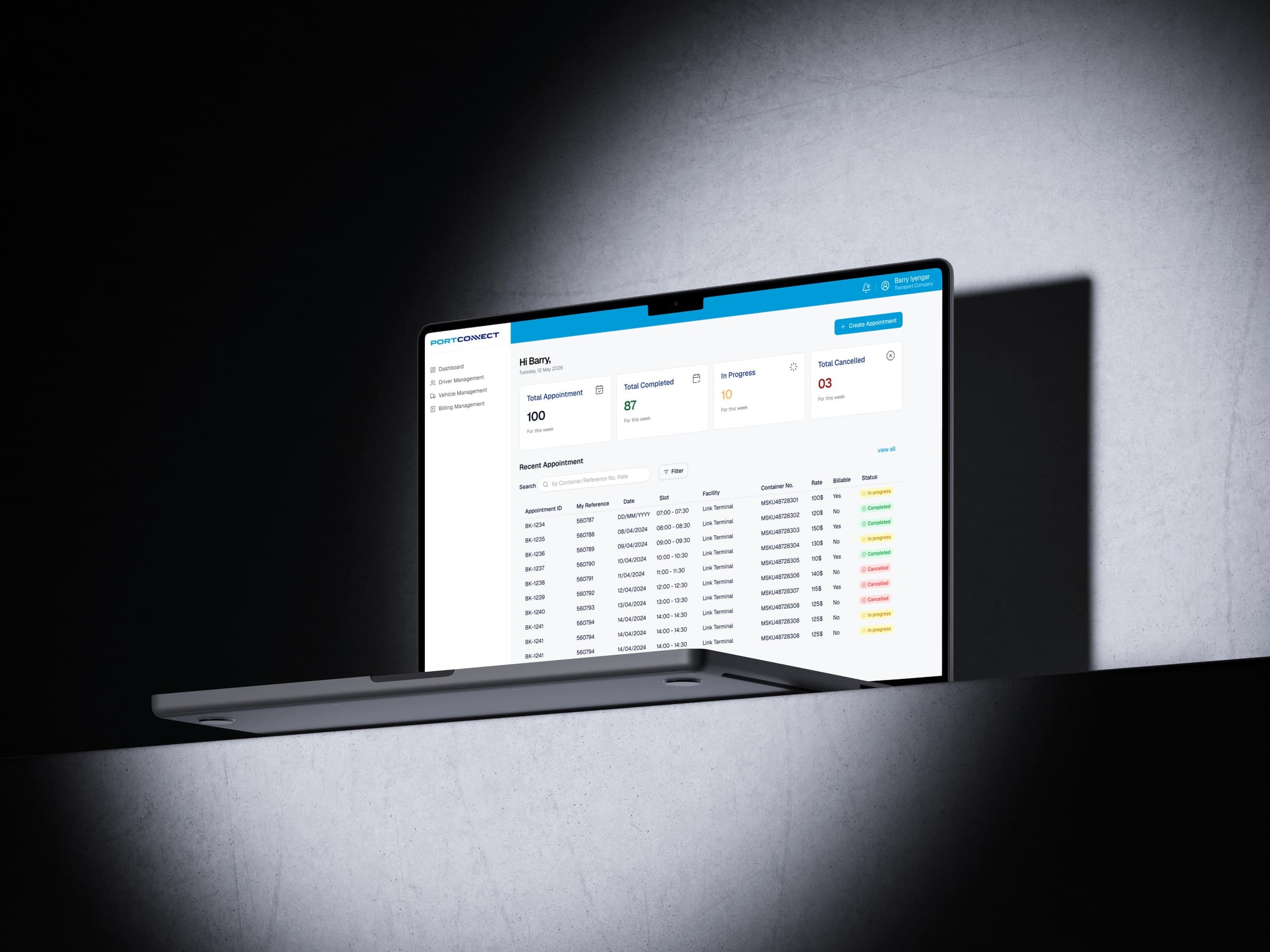
Open
Port Connect is replacing ContainerChain VBS, the vehicle booking system used at Port of Auckland and Port of Tauranga, with PortVBS, built in-house.
I was Principal Product Designer on that work. Three surfaces: a transporter web app, a port-admin web app, and a driver app for the gate. Discovery first, then the replacement, without dropping the rules the ports already run.
- Problem: Truck slots live in a third-party VBS. Onboarding a carrier is a manual stitch across Navis N4 and CargoWise. Drivers can be booked while suspended. The gate is a kiosk maze unless eGate is on.
- Role: Principal Product Designer, Port Connect, 2026 to now. Web and mobile.
- Constraints: Live terminals. Navis N4 stays the source of truth for container data. Slot rules, agreements and capacity stay configurable per facility.
- Decision: One PortVBS login. Separate information architecture for transporter admin and port admin. Keep the three-step booking (location, validate container, pick a slot). Treat the driver app as the gate, not a kiosk clone.
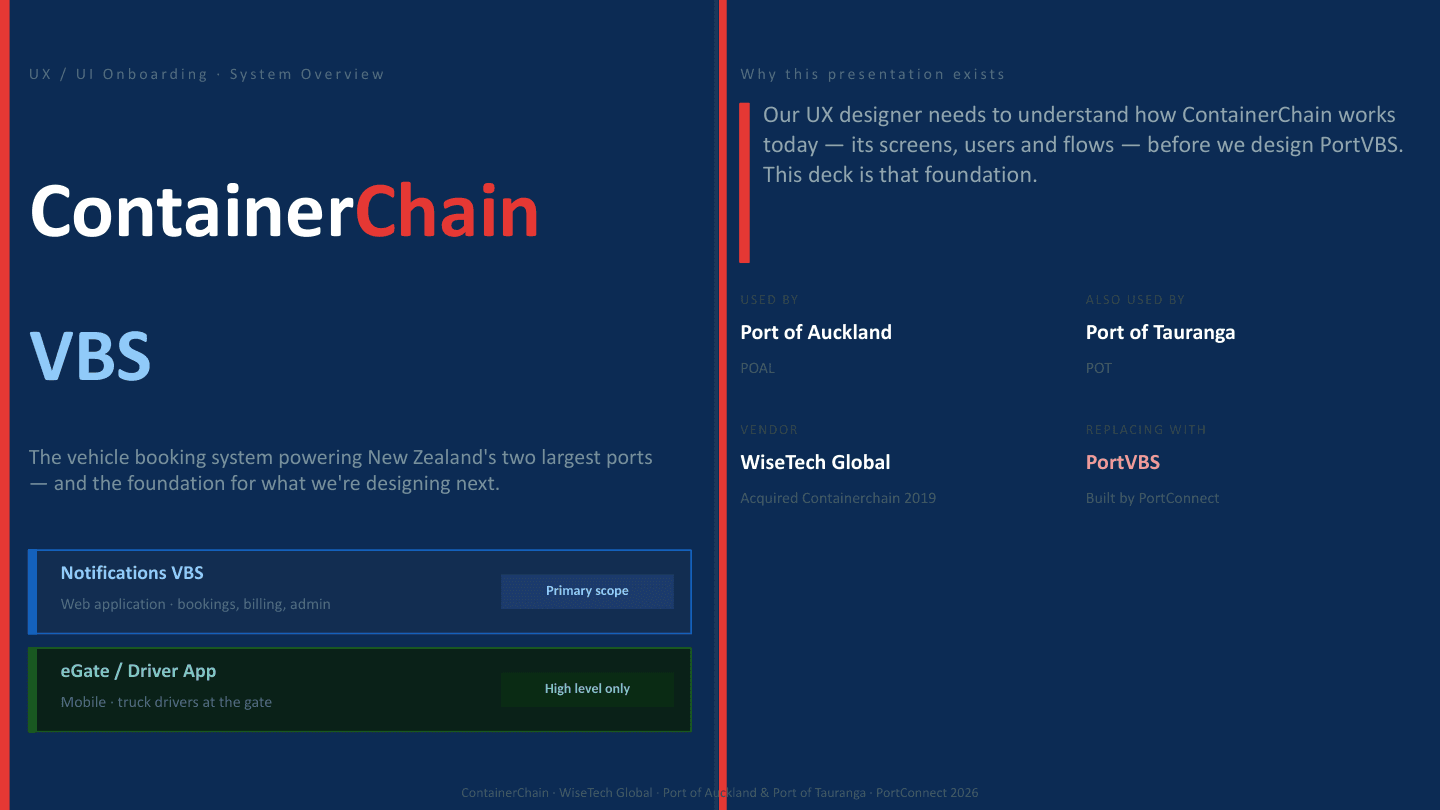
The problem
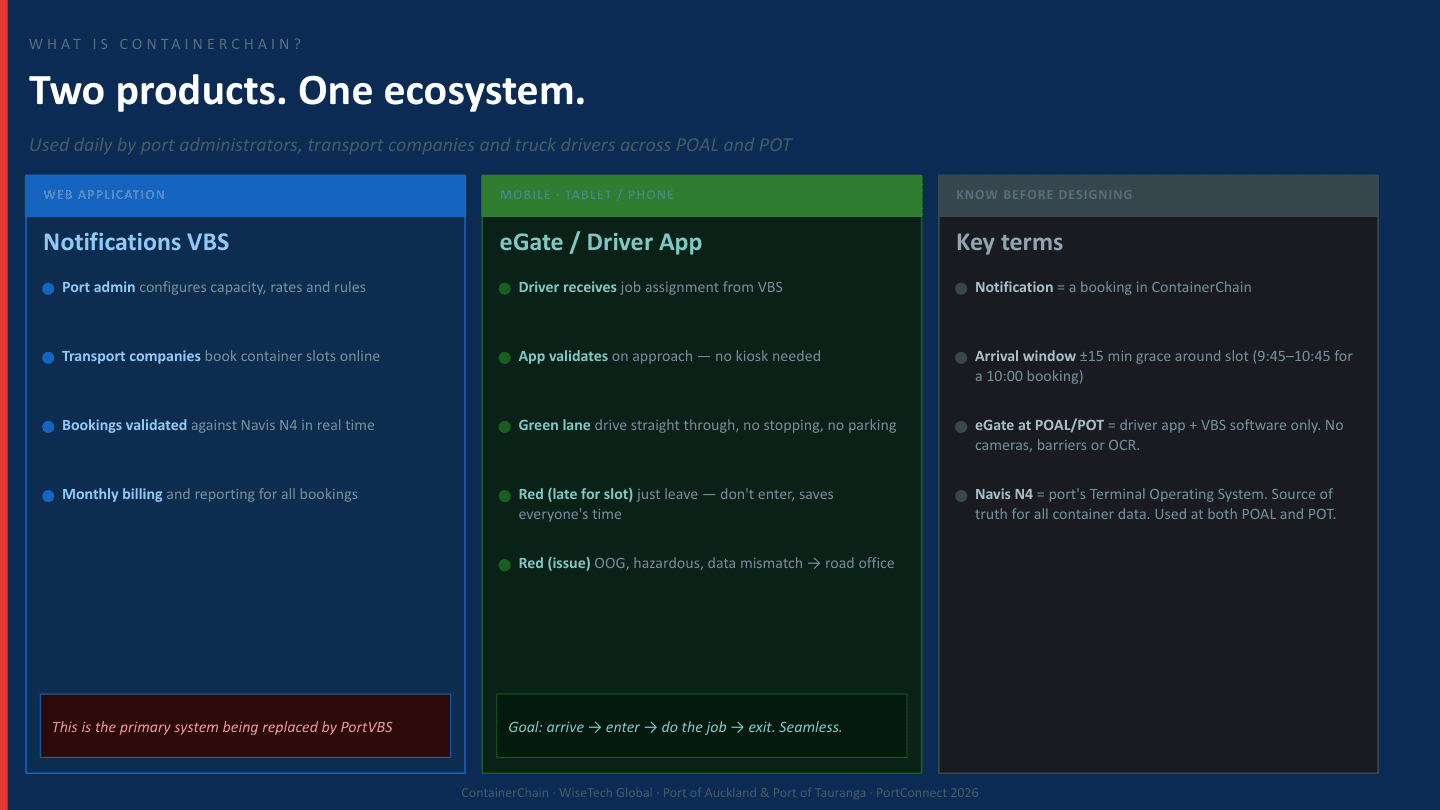
A notification in ContainerChain is a booking. Transport companies book a drop-off or pick-up into a 30-minute slot. N4 checks the container in real time. The driver then has to make that slot at the gate.
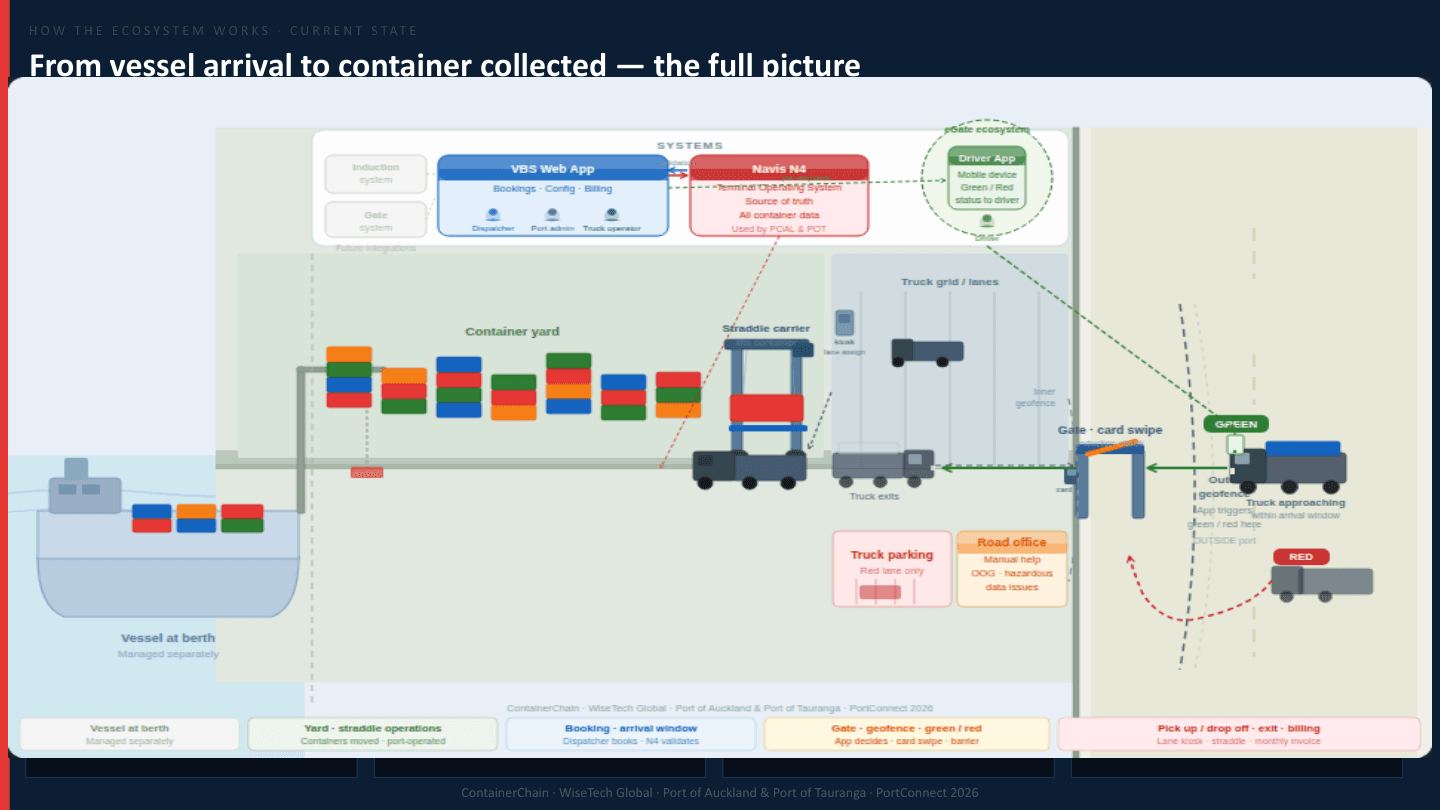
Discovery sat on one Figma page: current screens, process maps, and the two user journeys (port admin and transporter). What came out of that:
- Carrier onboarding is a chain of systems. The port creates the trucking company in N4, maps it again in CargoWise, and links them with an Info code. Miss the mapping and the carrier can click around but bookings fail at the last step. Each facility needs its own agreement. There is no proper hold, just a label on the business-relationship record.
- The booking can look fine and still fail at the gate. CargoWise does not check whether the assigned driver is suspended or has an expired induction. That only shows up when the licence is swiped. Wasted trip, red lane, a dispatcher who thought they were done.
- A driver who works for more than one carrier is a support ticket. Assigning the same person to a second company currently needs a vendor request. The replacement needs a one-to-many relationship as a first-class thing.
- The kiosk path is long. Without eGate the driver books in ContainerChain, gets an Express PIN per container, then works through pre-gate, gate, lane-assignment and exchange kiosks (licence, truck ID, PINs, door direction, pin position) before a straddle even moves. eGate is meant to collapse that to: job on the phone, green or red on approach.
Insight
A booking that cannot see driver status dumps the failure onto the truck at the gate. PortVBS has to fail earlier, at create, not at the boom.
Users and information architecture
Two people share one URL.
Transporter admin is the trucking company. Dashboard, operations (create, edit, cancel appointments), inquiry, admin. They own vehicles, users, roles, company, agreements, drop-off and pick-up.
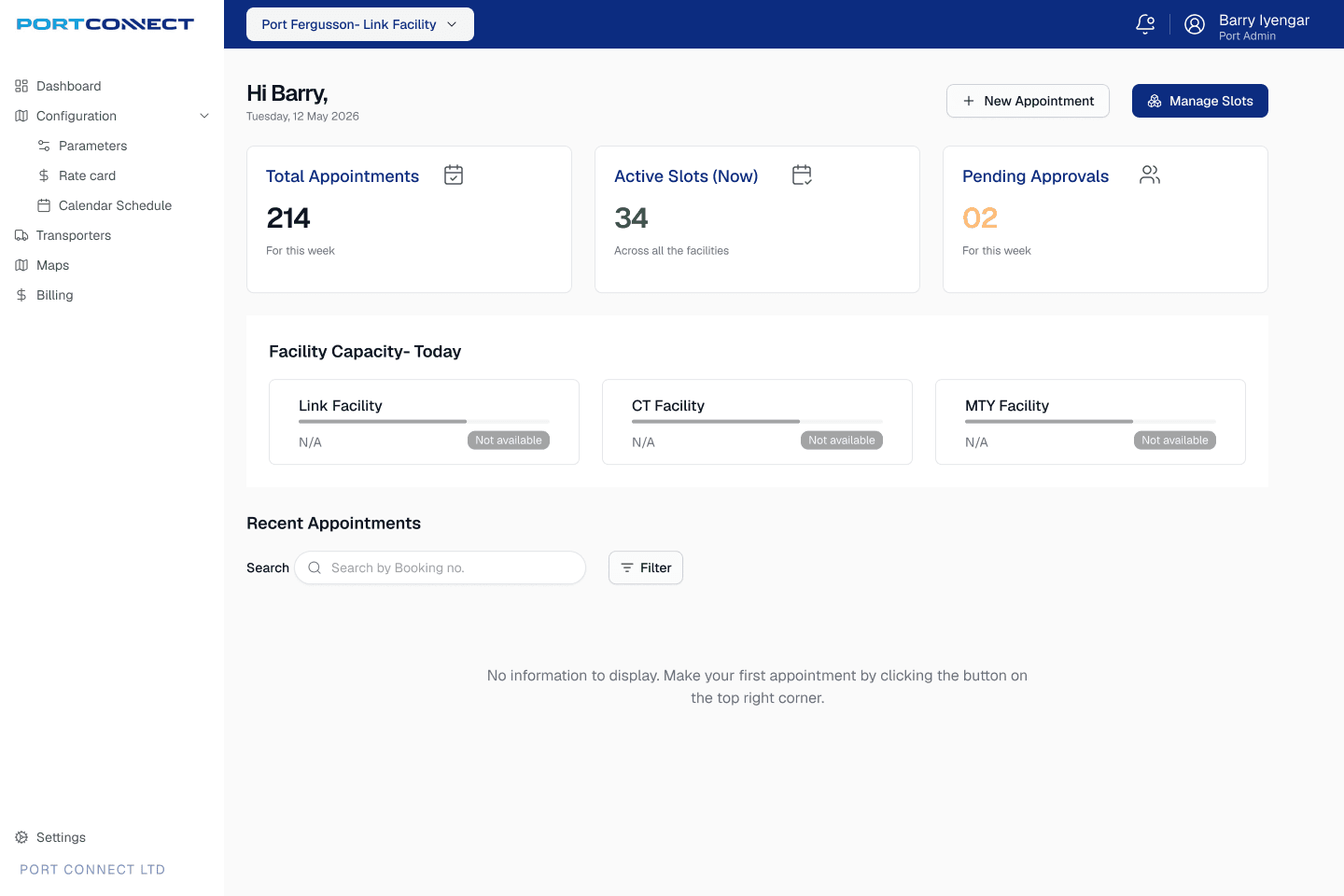
Port admin is the terminal. Same chrome, different left nav: view bookings, change capacity, appointment setup, parameters, schedule, fields, transporters. Port Connect creates the first port-admin account. Later users come in by hand or through the port's identity system.
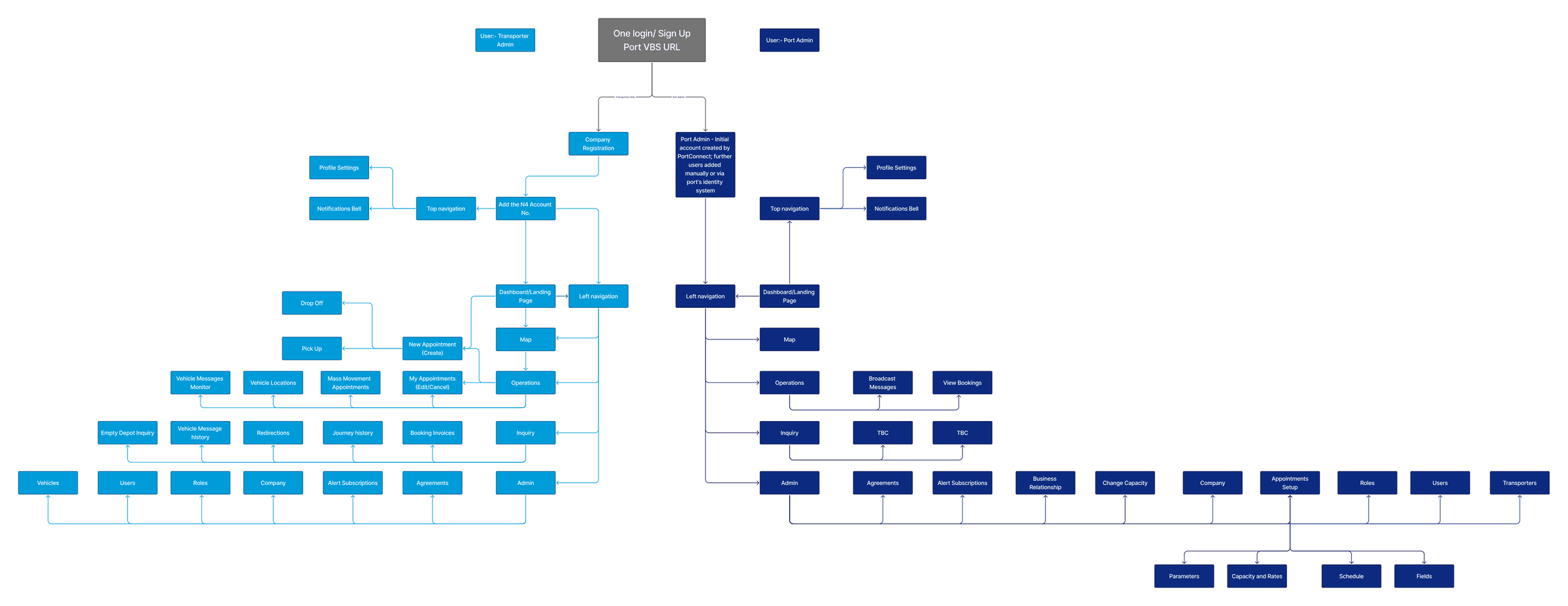
That split is the design. Same product, two jobs. A dispatcher should never see capacity-and-rates. A port planner should not be creating a carrier's drop-off.
Transporter portal
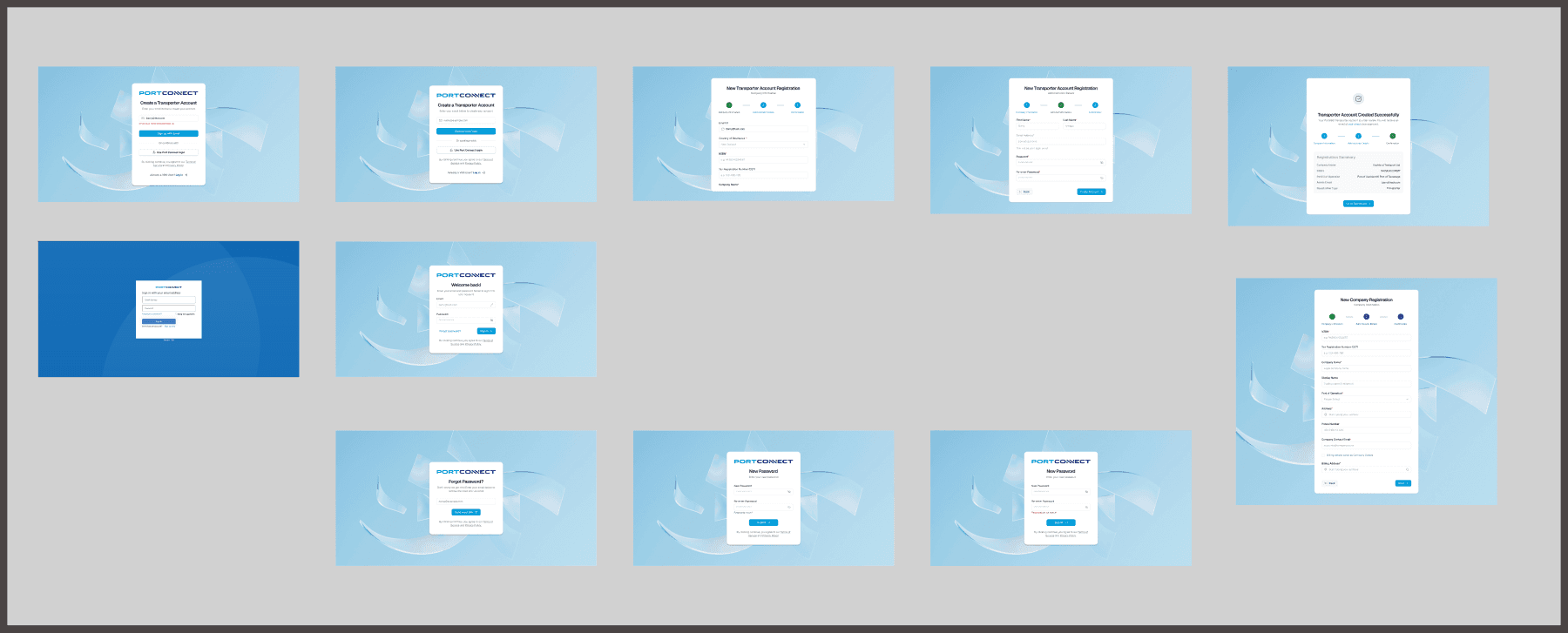
The Figma page is laid out as flows, not a pile of artboards. Sign-up and sign-in sit in one row so engineering can see the path a new carrier actually walks. New companies register themselves, then wait for the port to map the N4 account.
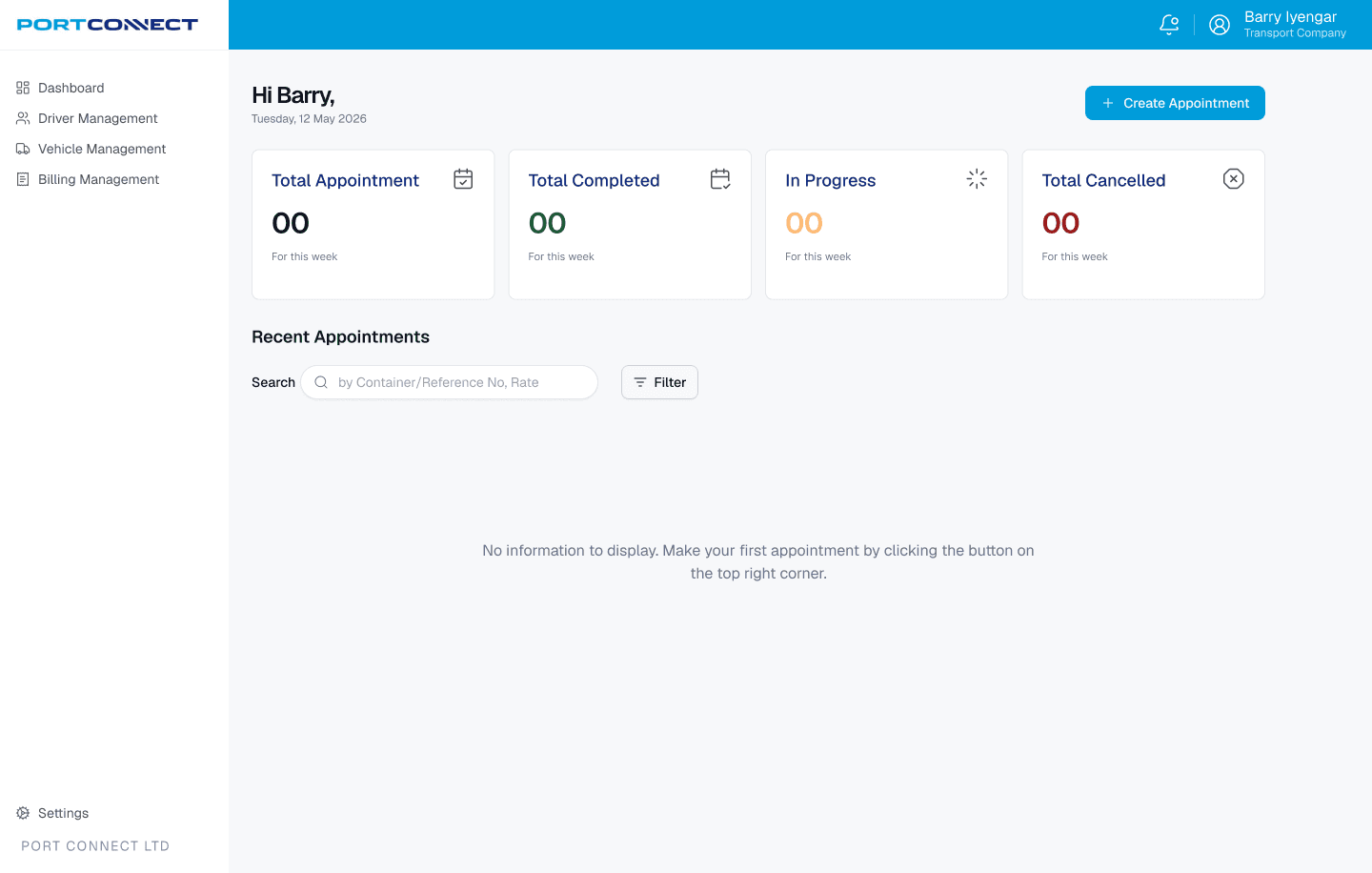
Once inside: an empty dashboard that tells you there are no appointments yet, rather than a blank grid. Driver management and vehicle management sit in the left nav, because a booking that cannot name a legal driver and a real truck is the gate failure we already found.
Booking a slot
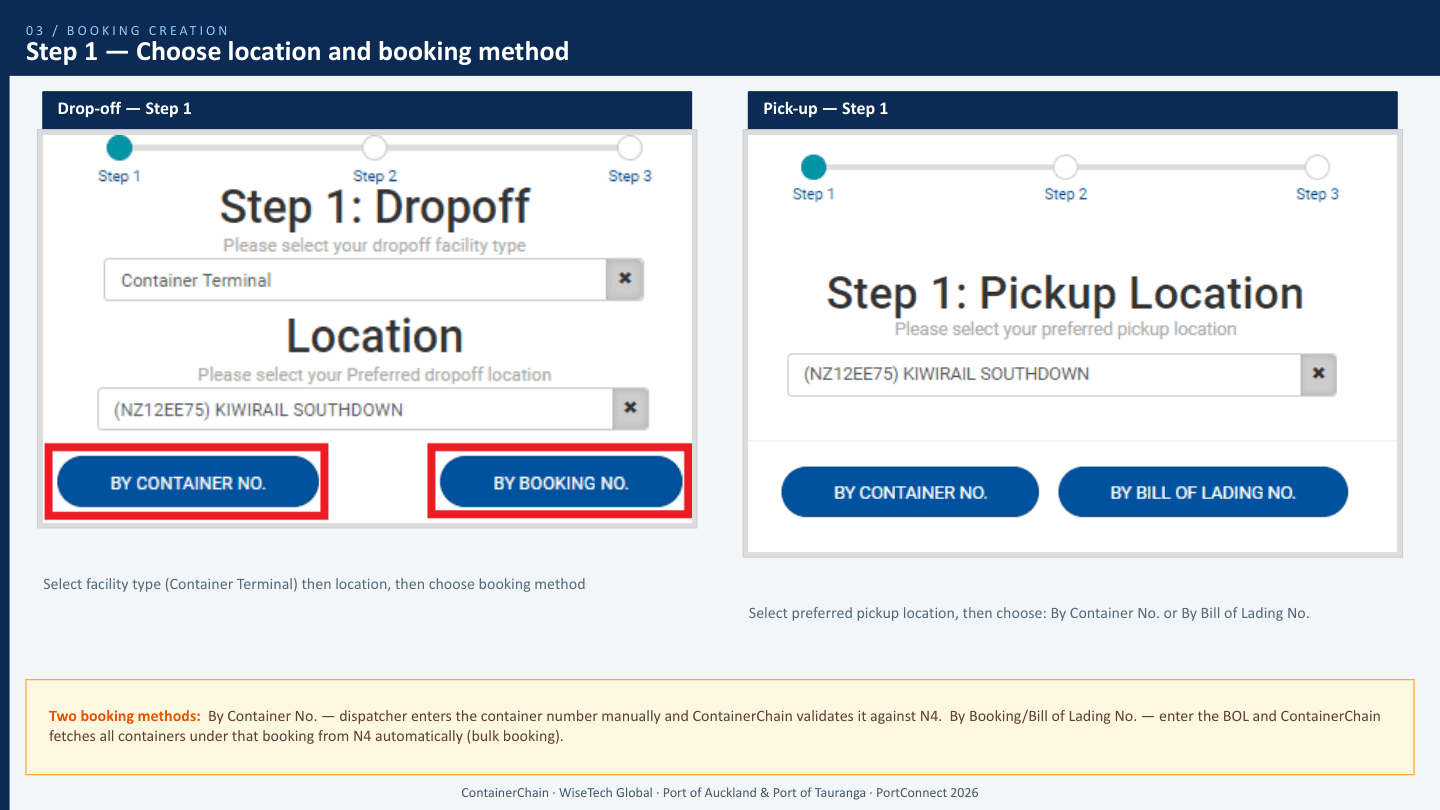
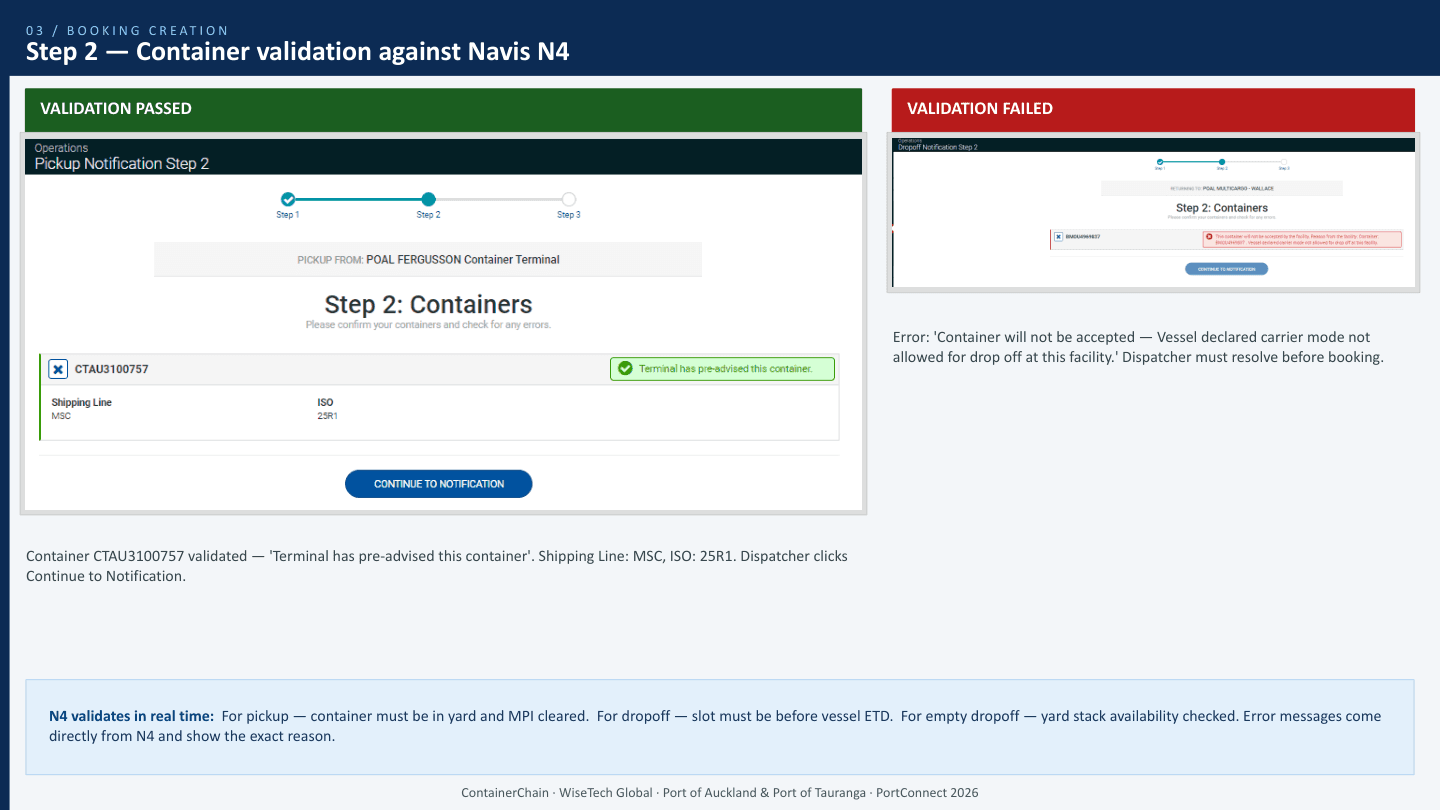
The current create flow is three steps. PortVBS keeps that shape because the validation is the product, not the chrome.
- Location and method. Drop-off: facility type, location, then by container number or by booking number. Pick-up: location, then by container number or by bill of lading (bulk from N4).
- Validate against N4. Pick-up: container in yard and MPI cleared. Drop-off: slot before vessel ETD. Empty drop-off: yard stack available. Failures come back in N4's words, not a generic error.
- Choose the slot. Public slots versus private pools. Cut-offs for change and cancel. Broadcast messages fire the moment a carrier books a facility that has an active notice.
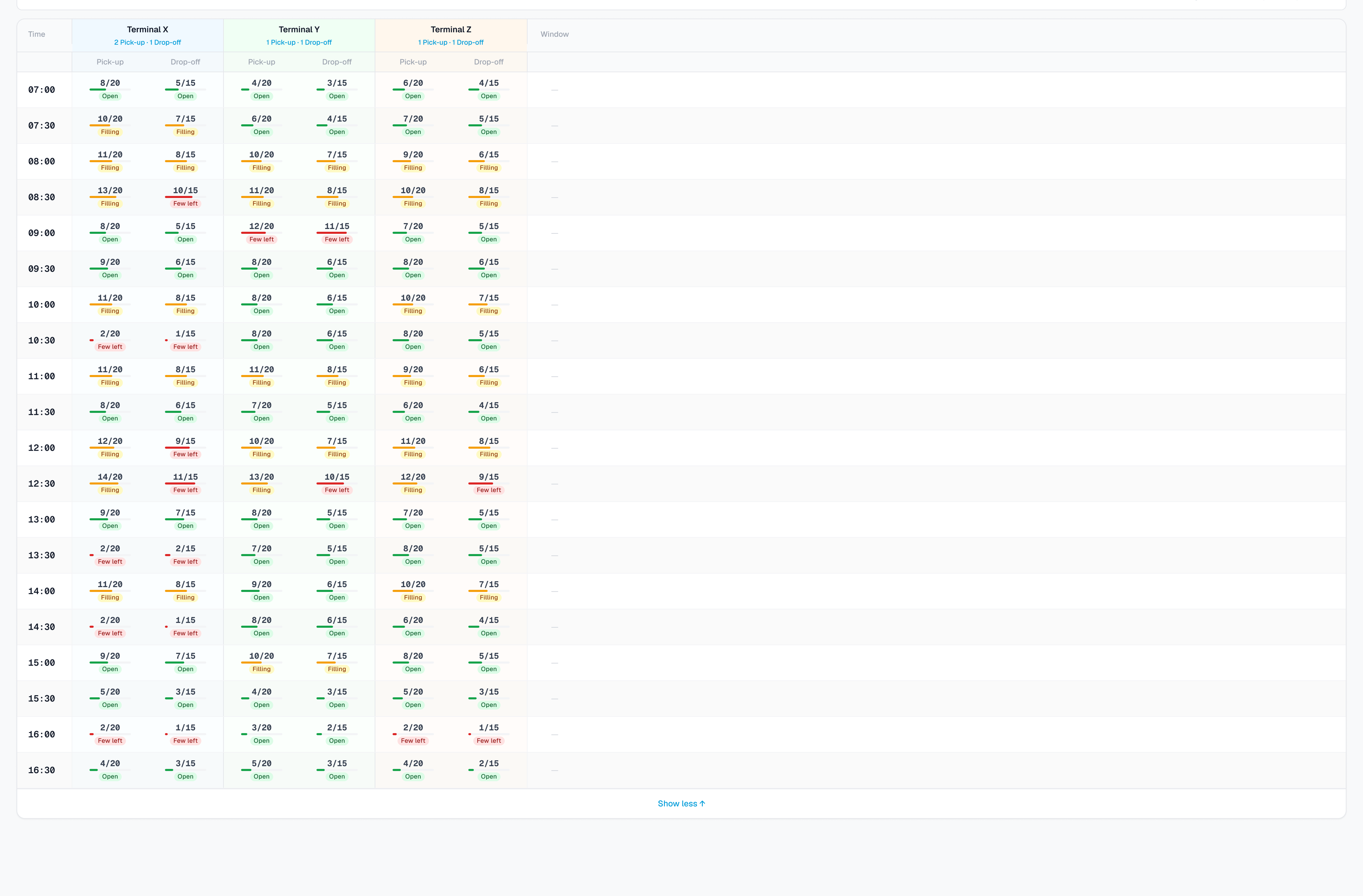
The types of booking the ports already run still have to exist: laden and empty, duals, list bookings, unspecified slots, stack runs, specials (OOG, haz, reefer). The change-request pile is full of edge cases where N4's dray status blocks a pick-up after a wrong-container return. Those are not "later". They are why a pretty form is not enough.
Port admin
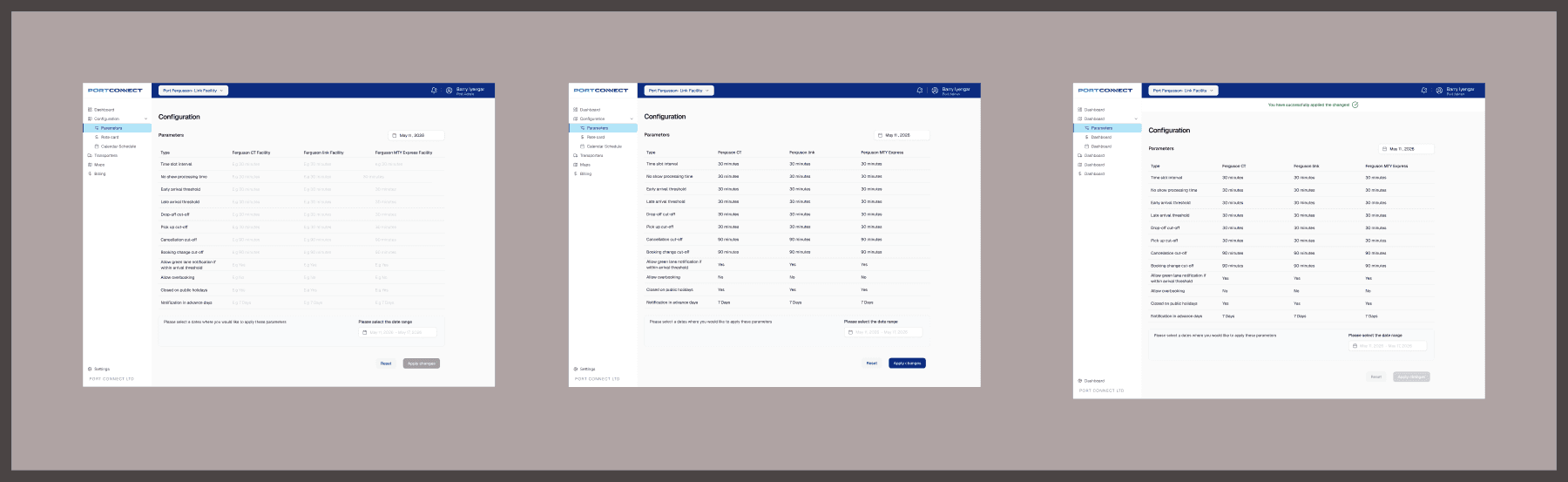
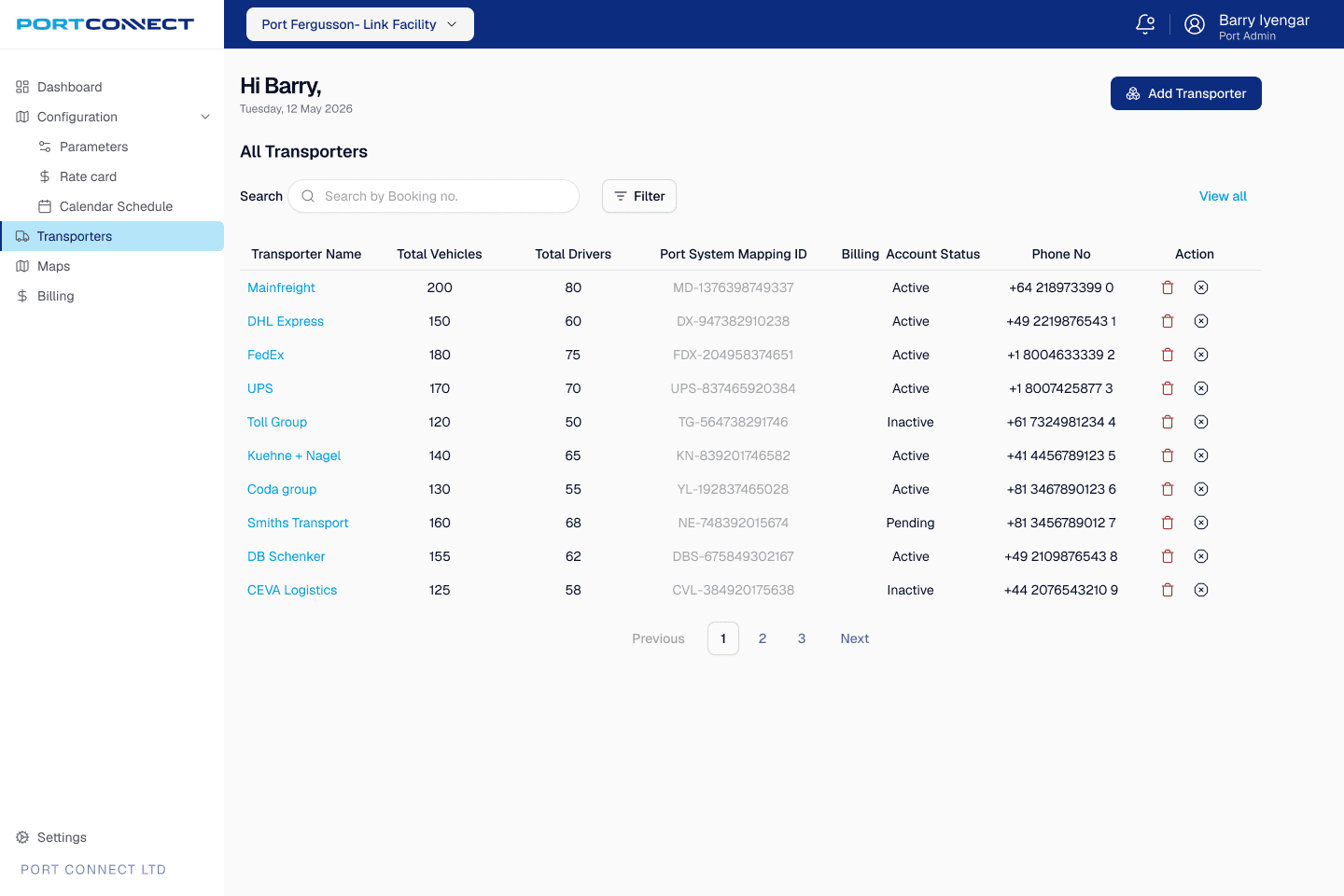
Same top bar, different job. Day one is a live board of bookings, exceptions and capacity at a glance. Transporters is the list the port actually operates: who is mapped, who is on hold, who still needs an agreement. Parameters is the set-and-forget config from discovery (slot length, early and late thresholds, cut-offs). In Figma those states sit in one section so a change to slot length is visible next to the screen it affects.
At the gate
Two driver experiences sit side by side today.
Kiosk (non-eGate). Book. Collect Express PINs. Drive to Fergusson. Pre-gate: licence, truck ID, PINs, door direction, pin position. Gate: health checks and card number. Then lane assignment, exchange, straddle.
Driver app. Vehicle number is on the booking. The job lands on the phone. On approach the app asks N4 and shows green or red. Green: drive through, card for the boom, complete in the app, out. Red because late: do not enter. Red because OOG, hazardous or data mismatch: road office.
The Figma page is built as prototype rows: login and home, the week's jobs, then the gate sequence. That is the file engineering clicks through, not six orphaned phones.
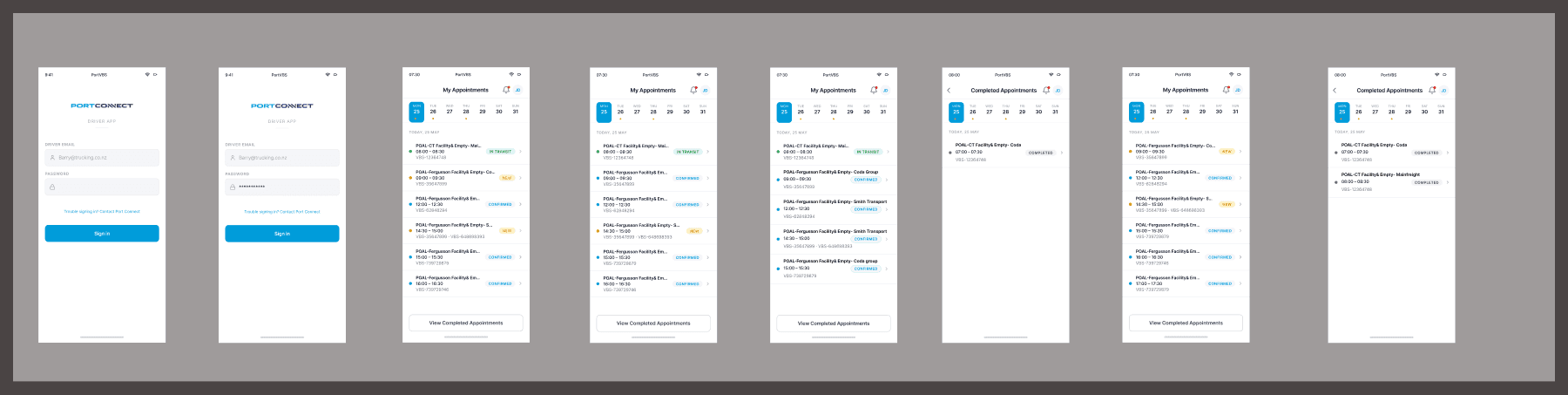
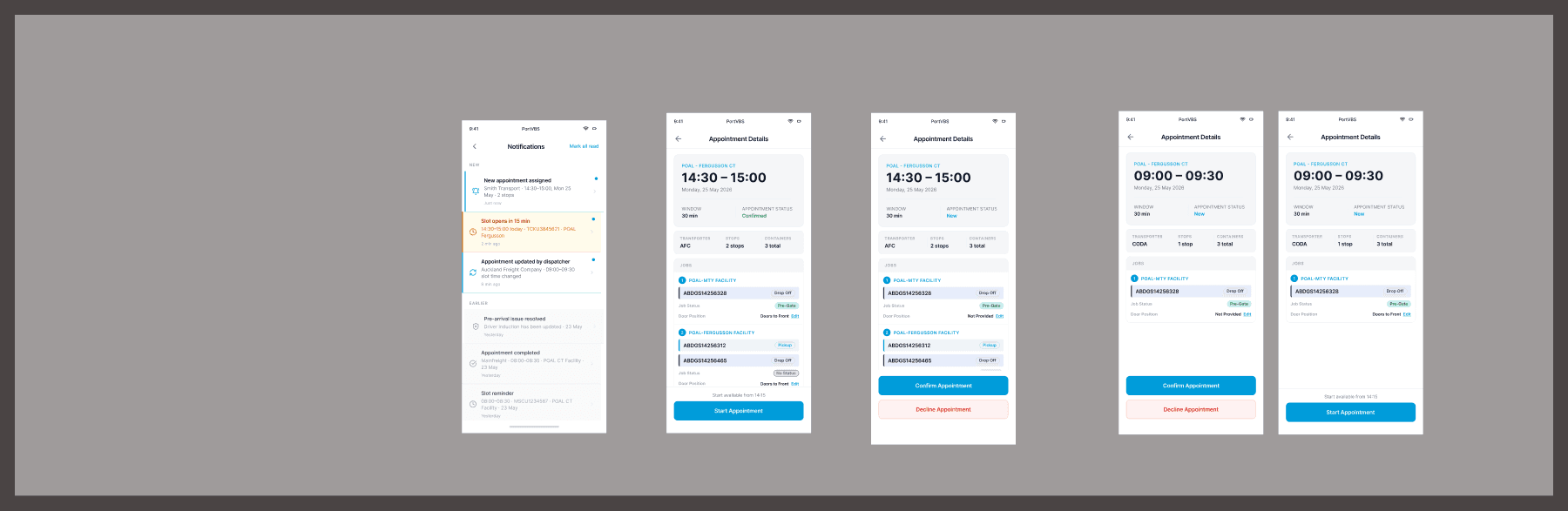
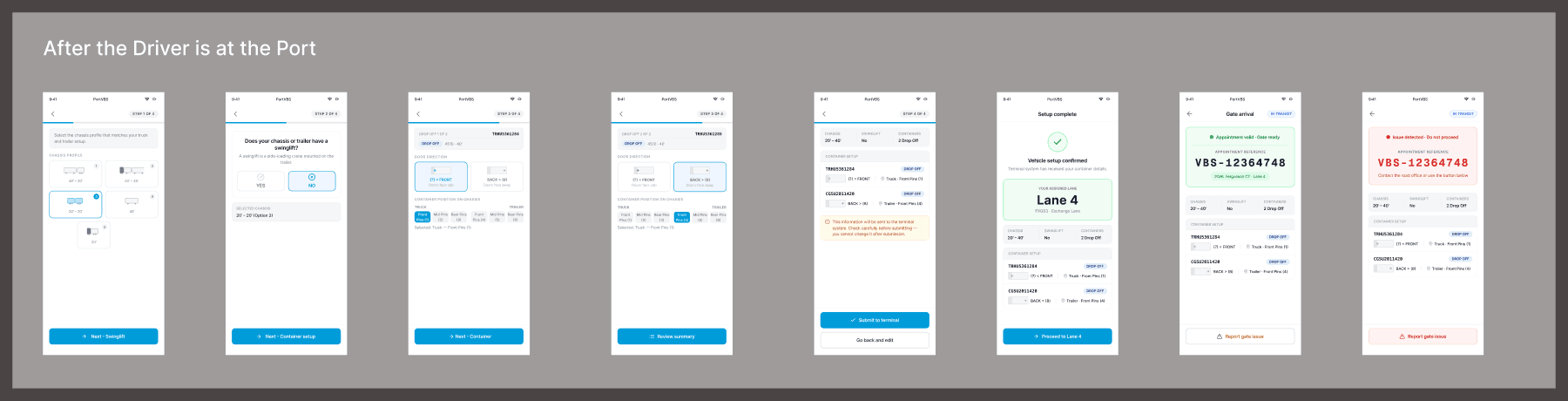
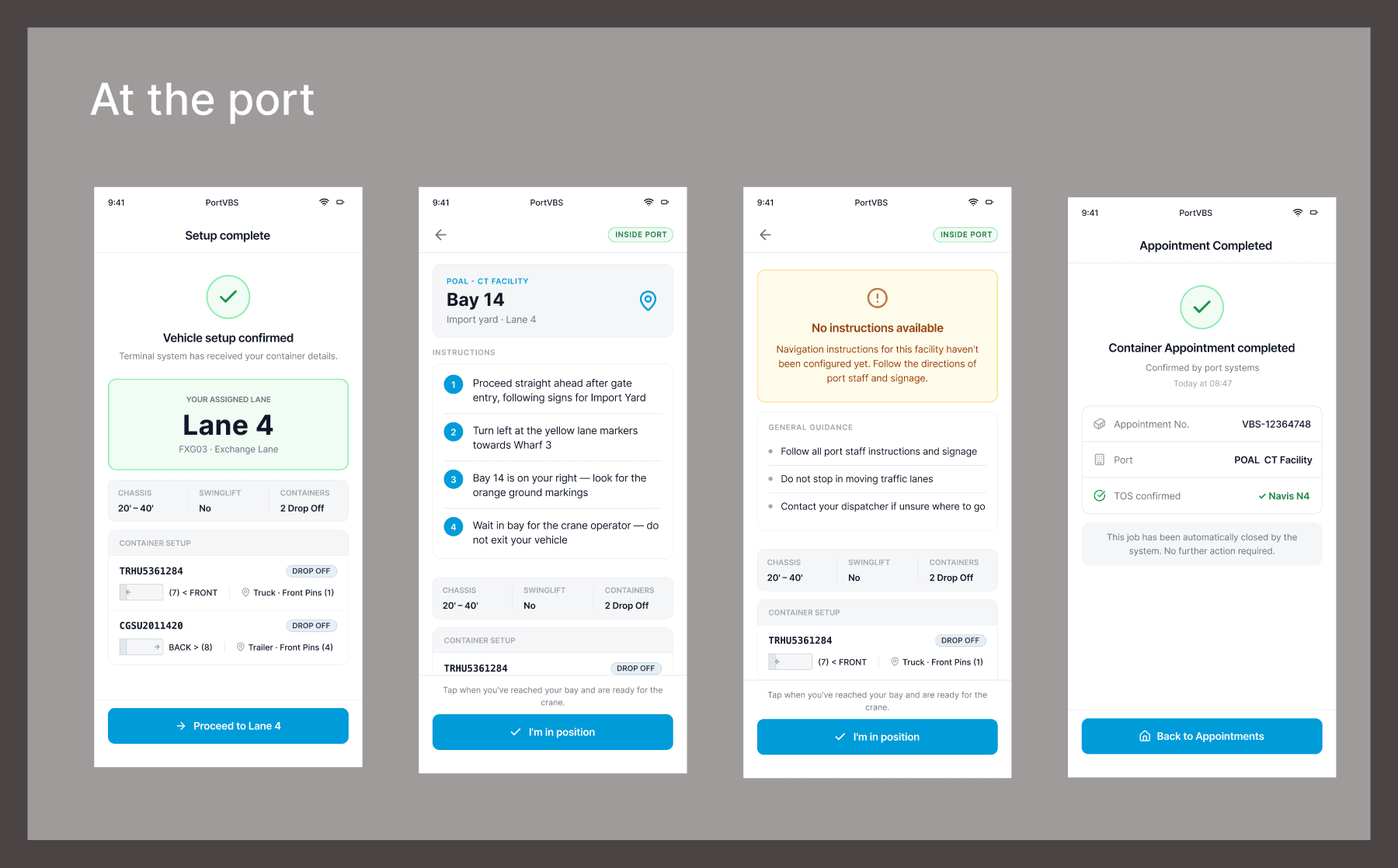
The app also has to handle a driver who works for more than one carrier: pick the company, then only that company's jobs. I am not dressing the kiosk up. The design bet is the phone: the same validation the dispatcher already passed, visible to the person holding the wheel.
How it lands with engineering
Handoff is the Figma file. Four pages: discovery, transporter portal, admin portal, driver app. Flows are grouped in sections so a ticket points at a row, not a single frame. The booking sequence and the rules N4 already enforces sit next to the UI they constrain. If a field is mandatory at Fergusson and optional at Link, that is a parameter, not a one-off screen.
What I will not claim: a post-launch number. PortVBS is the replacement. The work is to make the booking fail in the office instead of in the queue.